> For the complete documentation index, see [llms.txt](https://jamiewen00.gitbook.io/ai-engineering-handbook/llms.txt). Markdown versions of documentation pages are available by appending `.md` to page URLs; this page is available as [Markdown](https://jamiewen00.gitbook.io/ai-engineering-handbook/building-ai-products/fuzzy-land.md).

# Fuzzy Land

> Inspired by [Rethinking how we Scaffold AI Agents](https://www.youtube.com/watch?v=-rsTkYgnNzM\&t=523s)

Turning apps into AI systems creates fuzzy lands. When should you add fuzziness to your app?

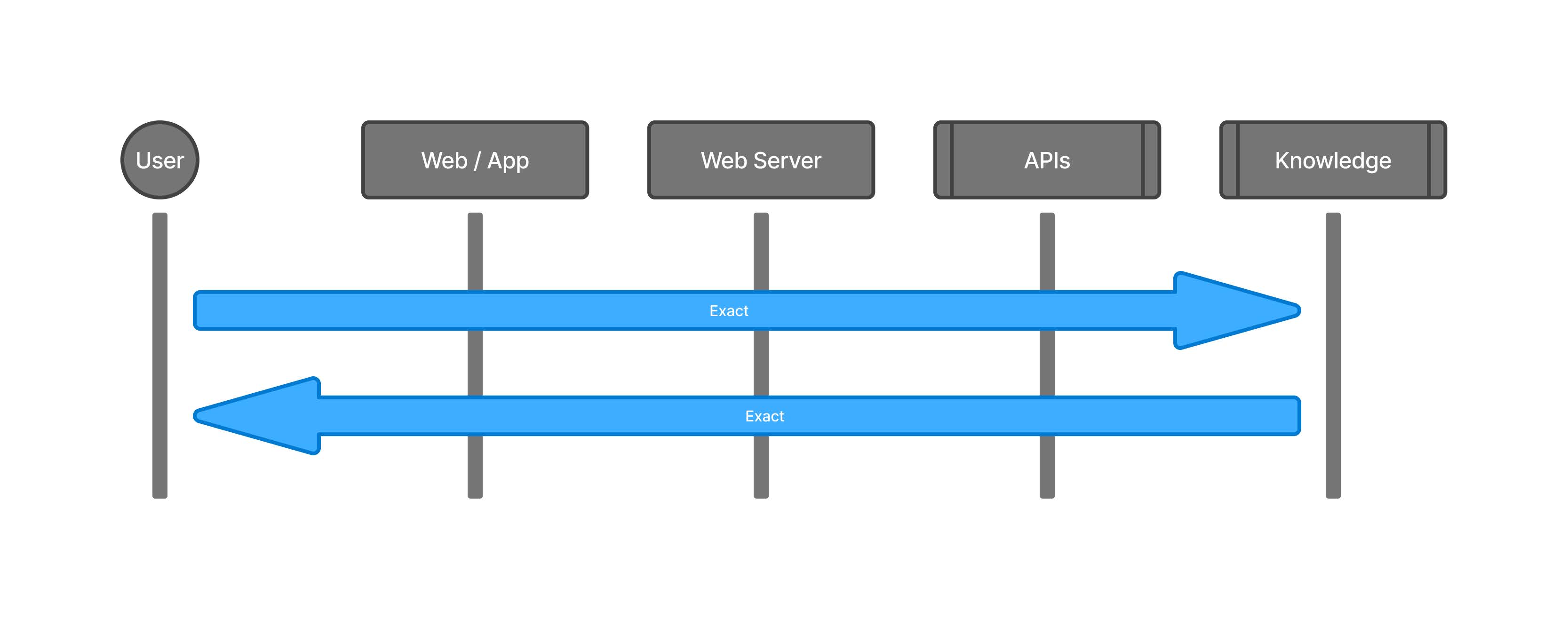
## Fuzzy Zero

All exact land. No fuzz. Every step is set. User input is strict. Output never changes.

<figure><img src="/files/jE464RoYEJw21zFrwiOz" alt="image"><figcaption></figcaption></figure>

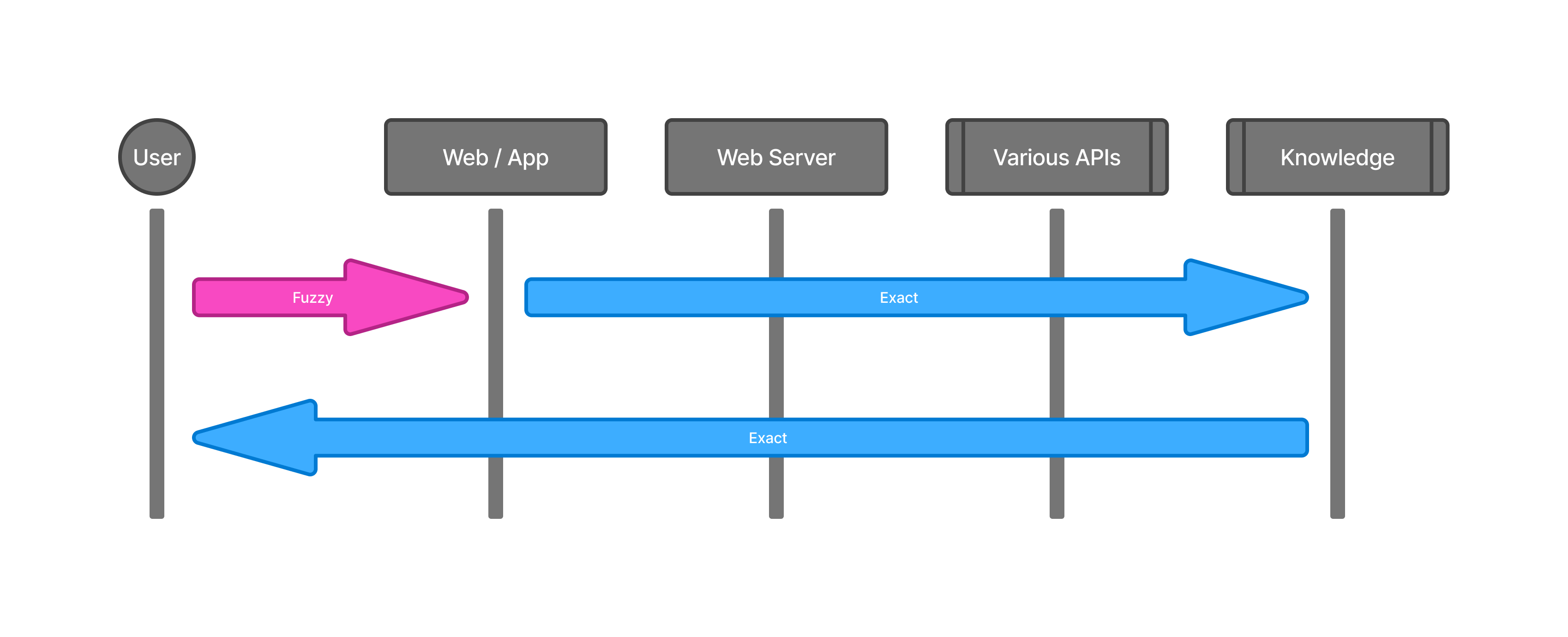
## Fuzzy UI

A small UI part is fuzzy land. Users type free text. Backend stays strict.

* Pros: UI feels smart.
* Cons: User input is wild. Output is same old, so what's the point? 🤷‍♀️

<figure><img src="/files/etXJ3gnfxRTMGp1g7XfX" alt="image"><figcaption></figcaption></figure>

## Fuzzy UI: Clarify

Add steps to clarify what users want. Bridge fuzzy UI and strict backend. Set clear rules up front.

* Pros: Less confusion. Clear rules.
* Cons: More steps for users.

<figure><img src="/files/2wsFlPypgvNHY88zD6iG" alt="image"><figcaption></figcaption></figure>

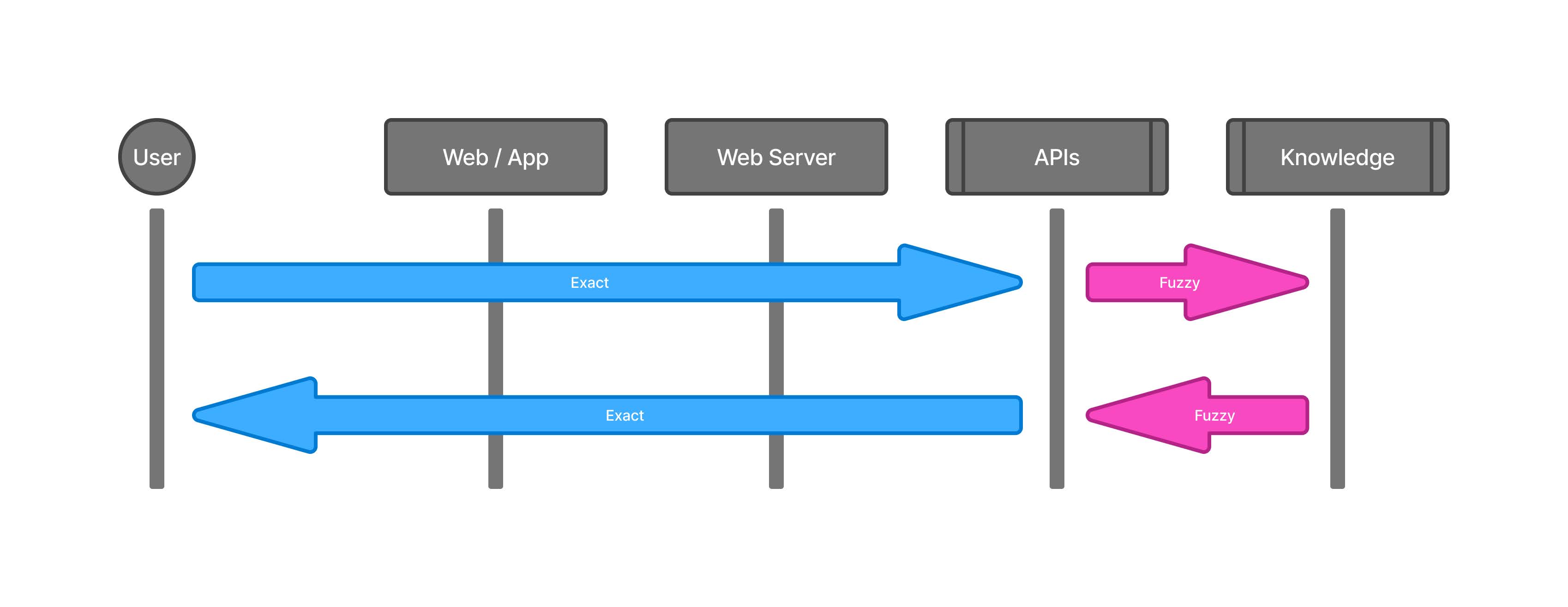
## Fuzzy API

Add a small fuzzy land to the API. For example, click to get insights.

* Pros: Fuzz is small. Most of the app is clear. Users know what to expect.
* Cons: Output is safe. Less wow.

<figure><img src="/files/4SC2bKky9mXMOBZRBE3Z" alt="image"><figcaption></figcaption></figure>

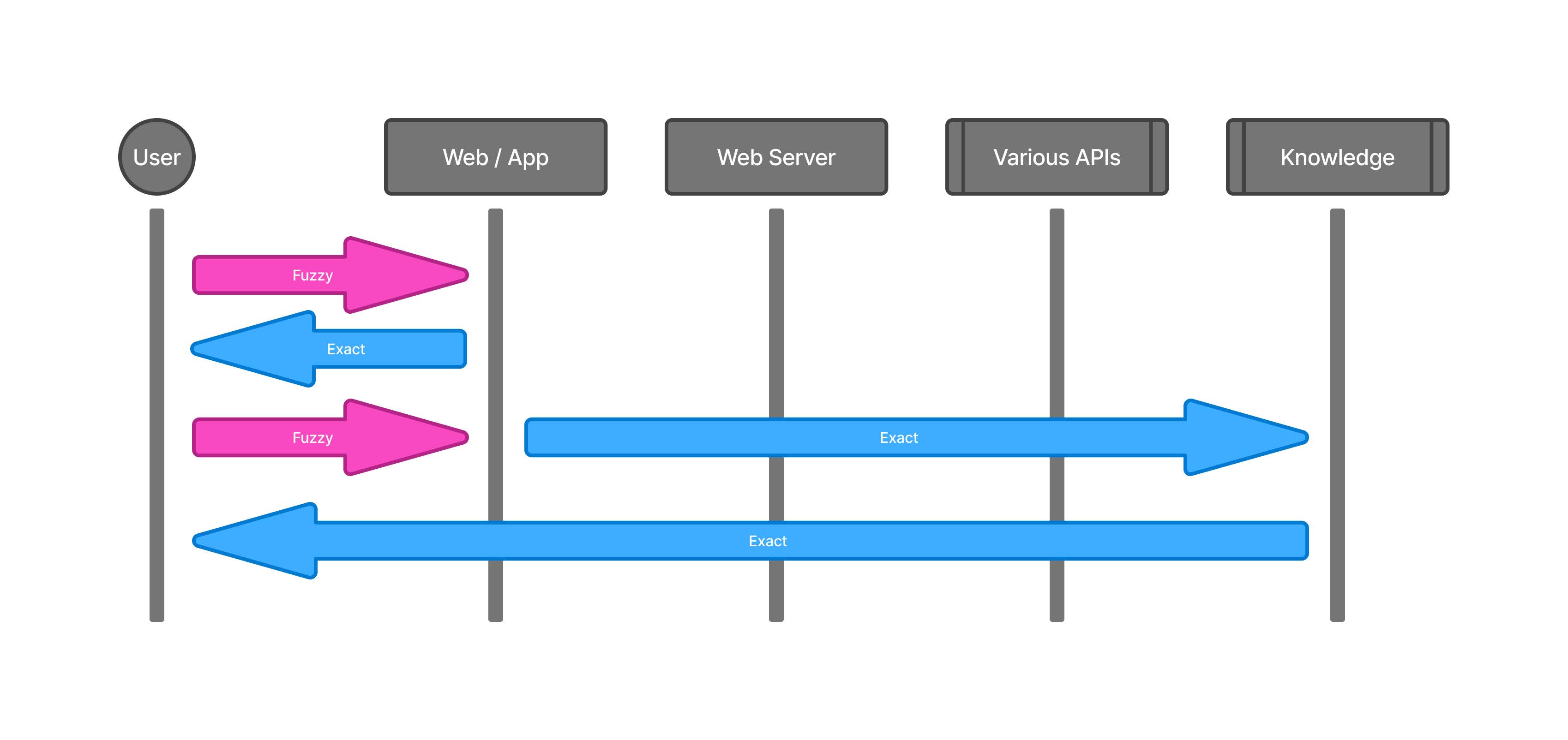
## Constrained Flow

Exact-led fuzziness.

* Pros: Reliable. Good for the right job.
* Cons: Feels like workflow or automation, not very agentic. (if it does the job, why bother?)

<figure><img src="/files/l2PXtL2hlw6CglZNaNHl" alt=""><figcaption></figcaption></figure>

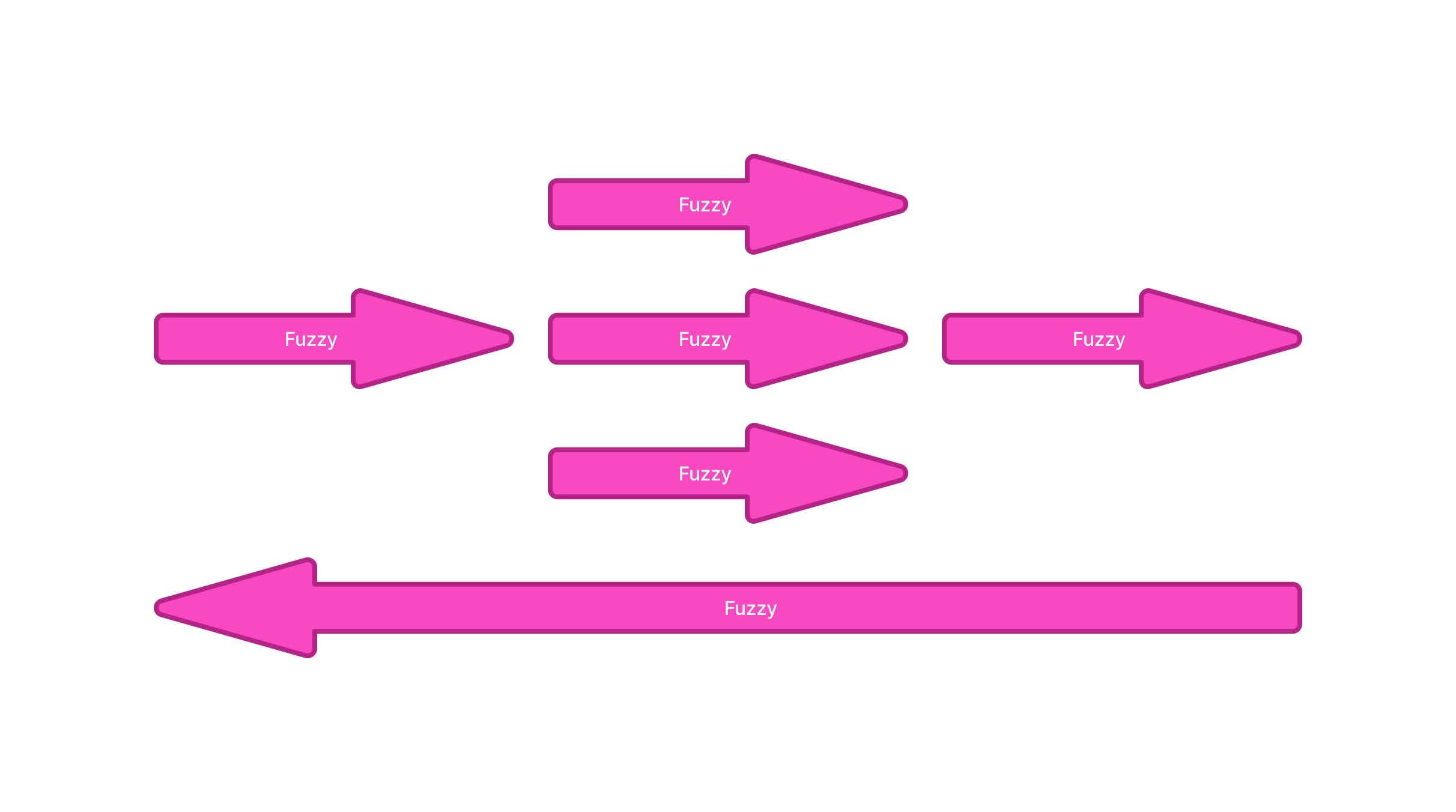
## Fuzzy Flow

Make the whole app a fuzzy land. It may contain some exact lands but it's a fuzzy-led experience. AI runs it all.

* Pros: If it works, it's huge. My attempts stay as fun prototypes.
* Cons: Hard to steer. Costly. Wild.

<figure><img src="/files/1VazHAXuCjEFiPndAxPW" alt="image"><figcaption></figcaption></figure>

## Appendix

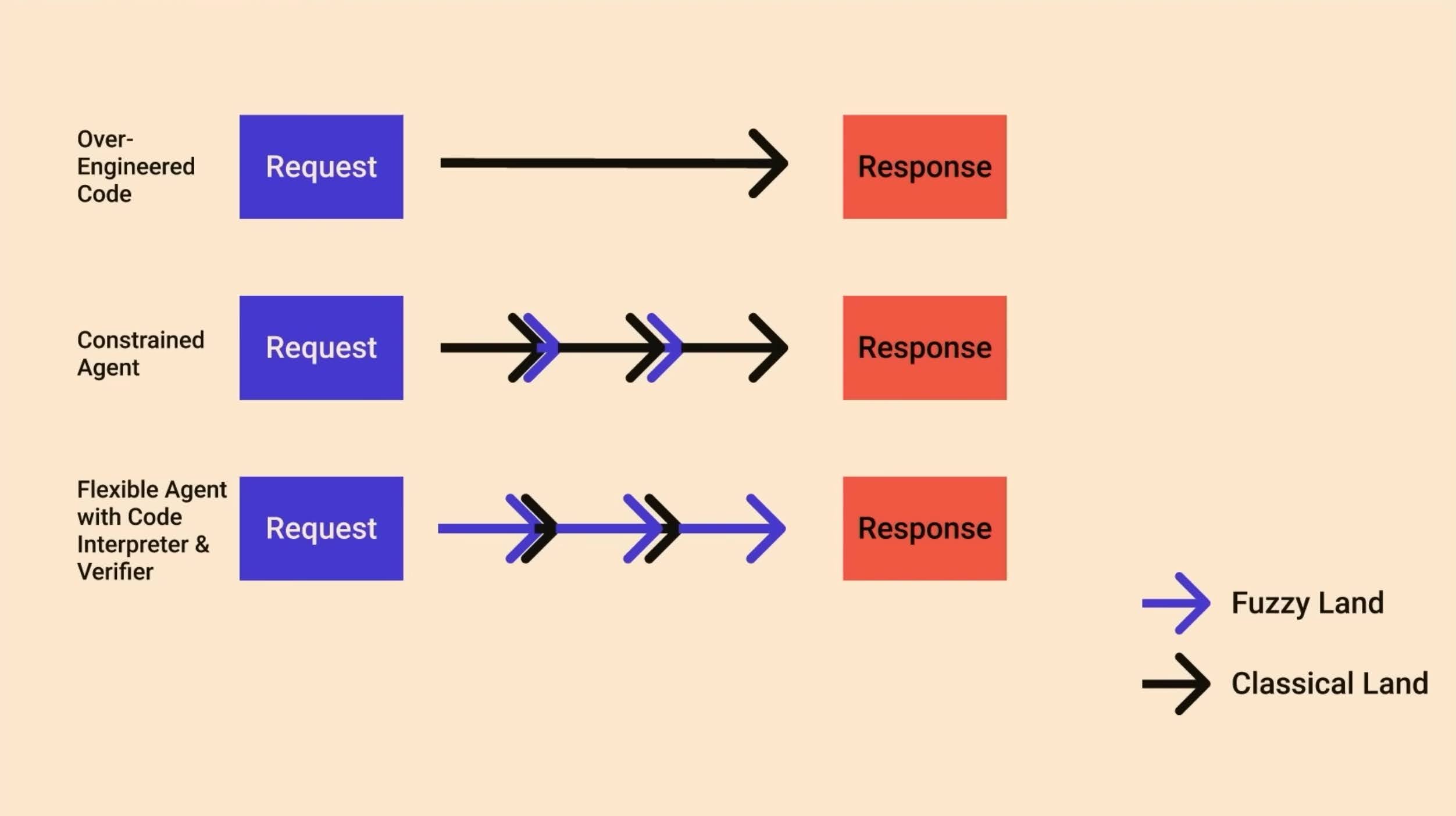
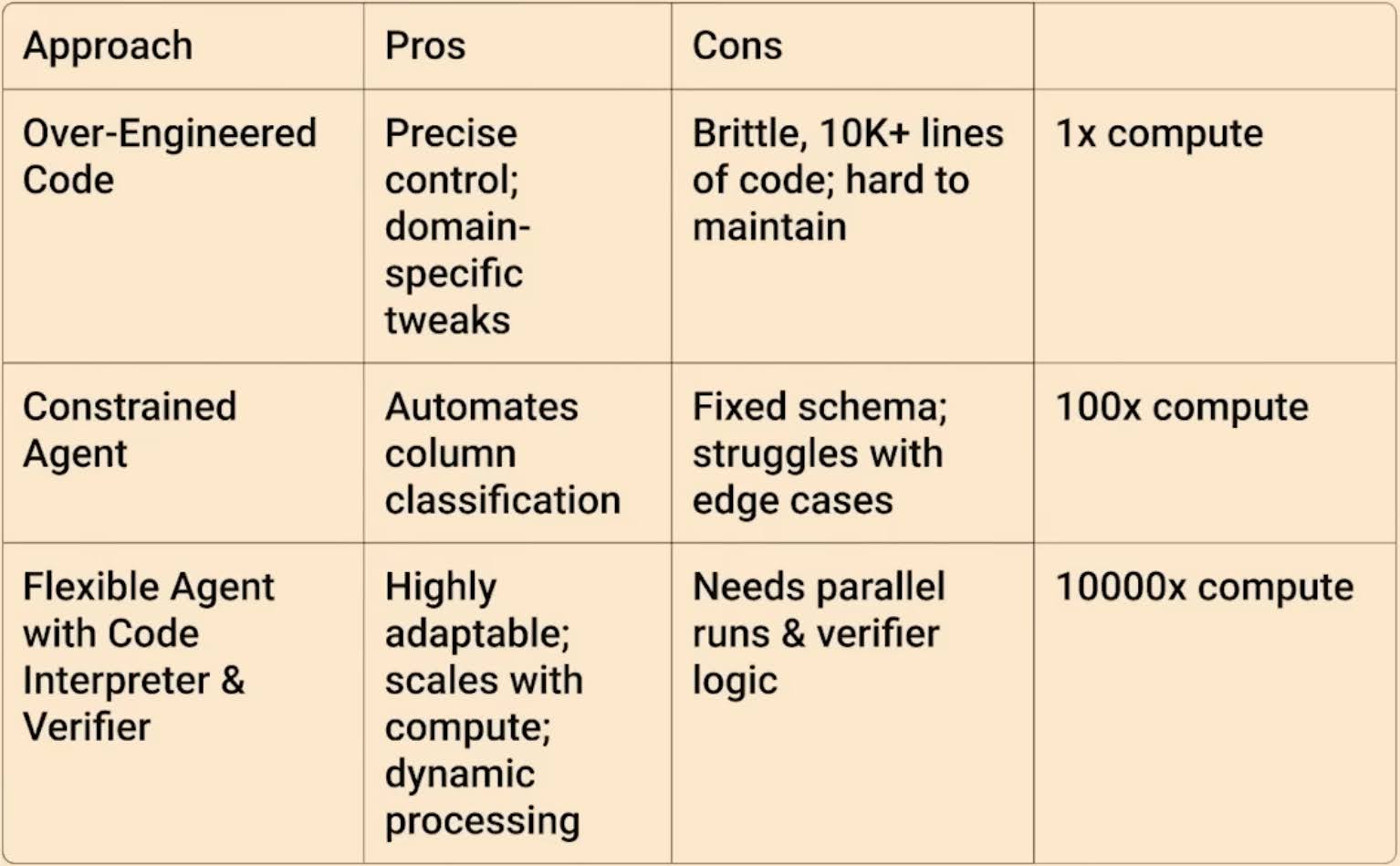
My main takeaways from [Rethinking how we Scaffold AI Agents](https://www.youtube.com/watch?v=-rsTkYgnNzM\&t=523s):
<figure><img src="/files/r1OkkYFRklCgIAnXGwwm" alt="image"><figcaption></figcaption></figure>

<figure><img src="/files/w7h8q0KMWgERA7uwHwhR" alt="image"><figcaption></figcaption></figure>


---

# Agent Instructions
This documentation is published with GitBook. GitBook is the documentation platform designed so that both humans and AI agents can read, navigate, and reason over technical content effectively. Learn more at gitbook.com.

## Querying This Documentation
If you need additional information that is not directly available in this page, you can query the documentation dynamically by asking a question.

Perform an HTTP GET request on the current page URL with the `ask` query parameter, and the optional `goal` query parameter:

```
GET https://jamiewen00.gitbook.io/ai-engineering-handbook/building-ai-products/fuzzy-land.md?ask=<question>&goal=<endgoal>
```

`ask` is the immediate question: it should be specific, self-contained, and written in natural language.
`goal` is optional and describes the broader end goal you are ultimately trying to accomplish on behalf of the user. GitBook uses it to tailor the answer towards what is most useful for that goal.

The response will contain a direct answer to the question and relevant excerpts and sources from the documentation.

Use this mechanism when the answer is not explicitly present in the current page, you need clarification or additional context, or you want to retrieve related documentation sections.